HR Digital Forms
Paperless HR forms, signatures and documents.
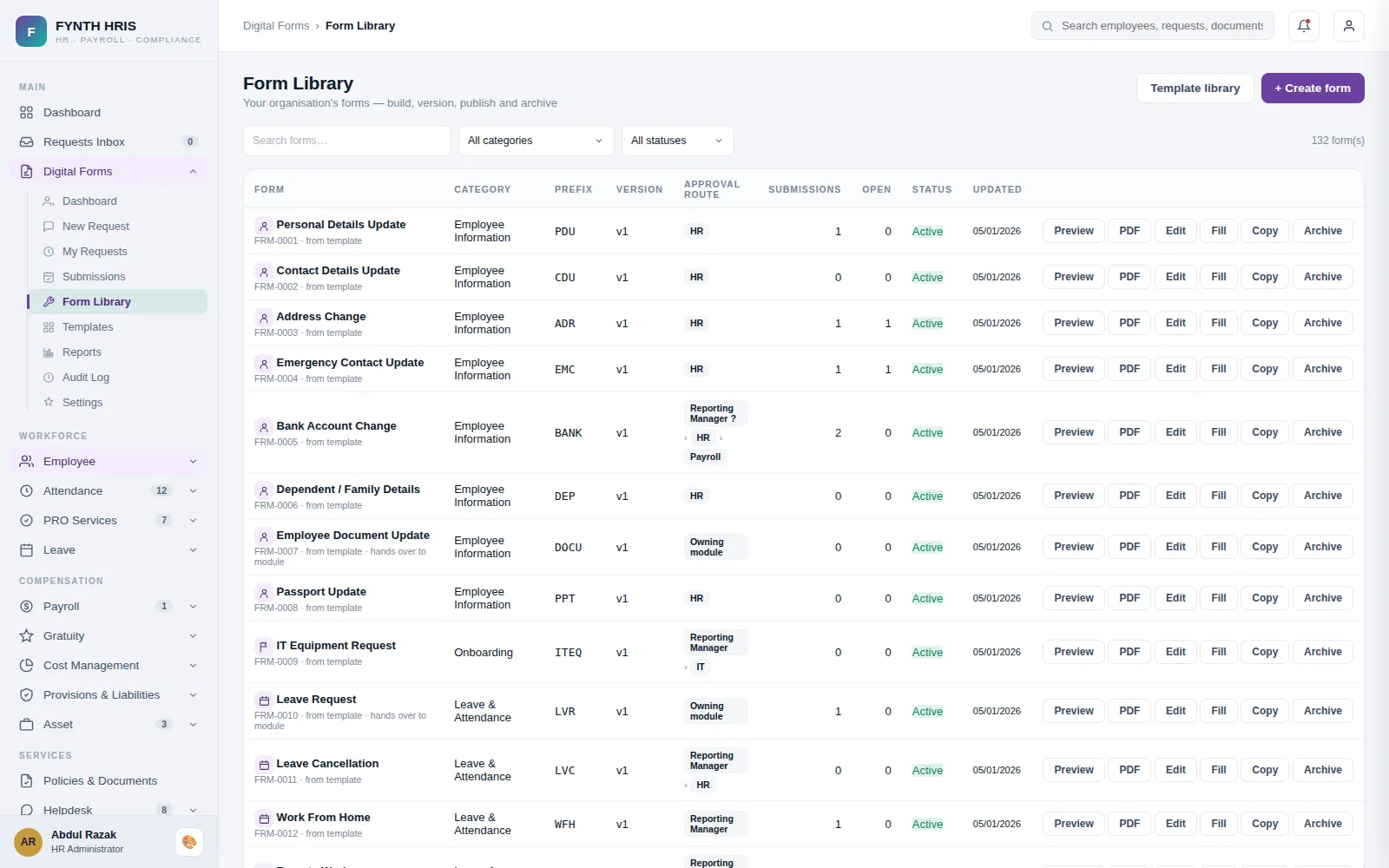
Live screen from FYNTH HRIS · sample data
HR Digital Forms Sub-Modules
Everything this module does, on the same employee record the rest of FYNTH HRIS reads from.
Create HR forms such as handbooks, policy forms and tax documents automatically.
Sign documents electronically to speed up onboarding and approvals.
Employees complete and submit web forms themselves, reducing admin work.
Store, search, share and update digital documents across the organisation.
Produce the reports and compliance forms that legal and policy requirements call for.
Design and customise forms to match your own HR requirements.
The Screens Your HR Team Will Use
Each one is a working part of the module, not a settings page bolted on afterwards.
-
Digital FormsResponse & resolution targets per priority, category overrides, working-hours clock and escalation - the helpdesk queue flags breaches live
-
Approval FlowsPer-module approval chains - ordered levels of Roles and Designations that must approve, consumed by leave, promotions, salary revisions, payroll and PRO engines
-
Requests InboxThe one place for every approval - leave, absences, airfare, regularization, loans, employee changes and all digital forms
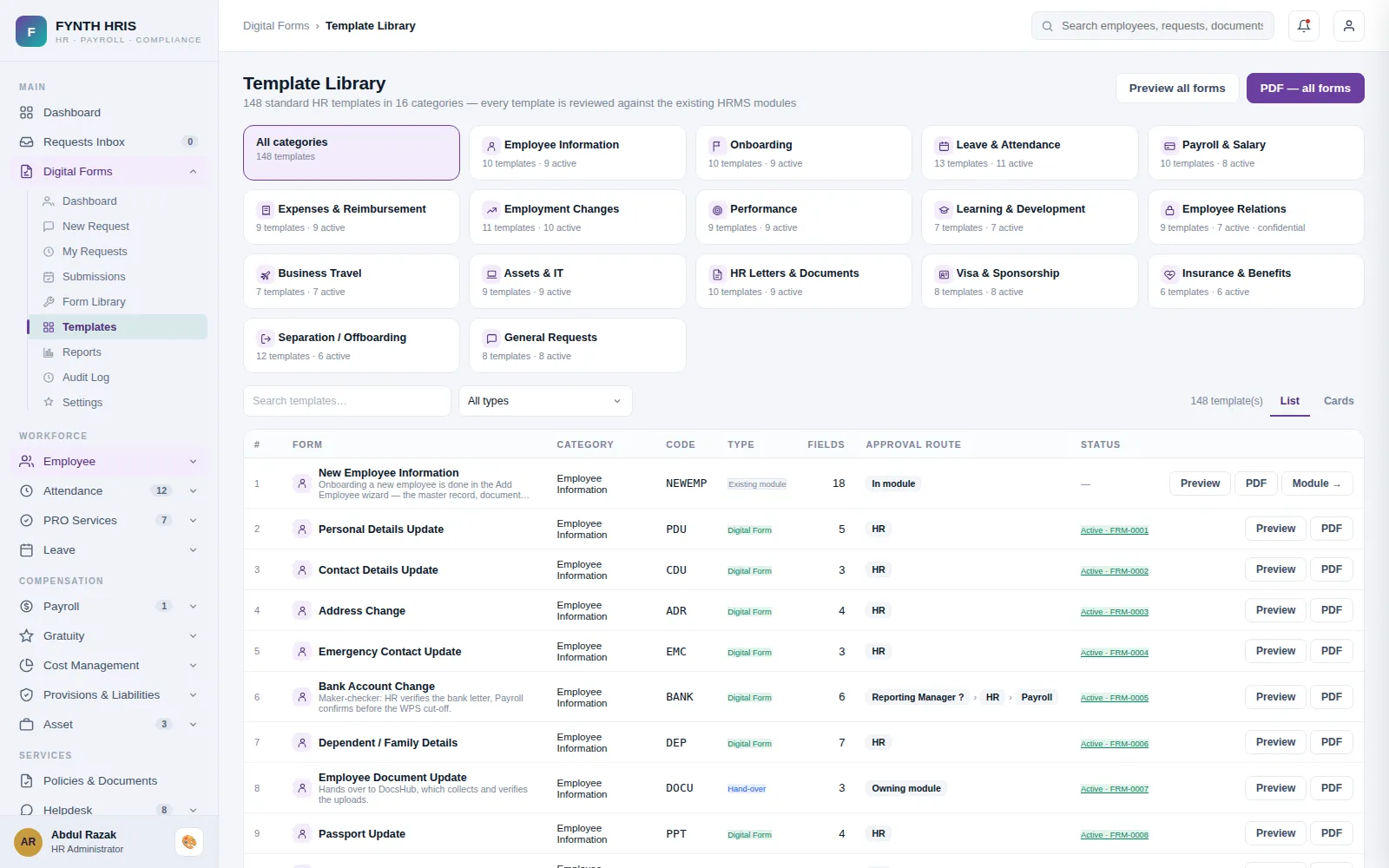
Live screen from FYNTH HRIS · sample data
From Setup to Everyday Use
Configure it once, then the module runs with the rest of the system rather than beside it.
Fields, rules and the data it writes back to the employee record.
Ordered levels of roles and designations, reused across modules.
Every submission is in the Requests Inbox with its status, approver and audit trail.
Modules That Work with This One
Every module writes to one employee record, so nothing is re-keyed between them.
See HR Digital Forms with Your Own Data
A specialist will walk you through the module using your company structure, headcount and policies.