Leave Management
Policy-based leave that flows from request to approval to payroll.
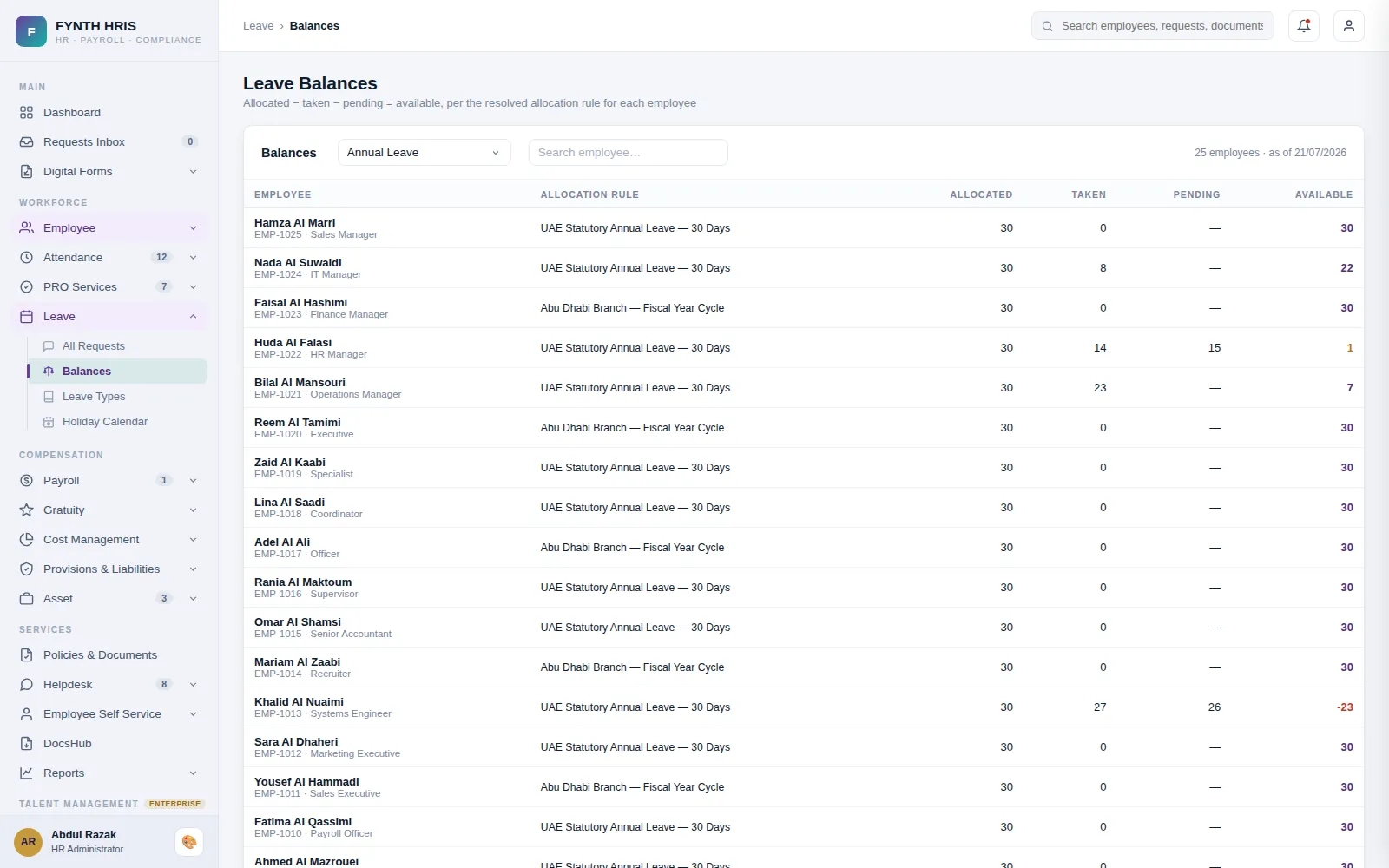
Live screen from FYNTH HRIS · sample data
Leave Management Sub-Modules
Everything this module does, on the same employee record the rest of FYNTH HRIS reads from.
Create leave types such as annual, medical, maternity, sick, paid and unpaid leave, with allowance and deduction rules for each.
Employees request leave through self-service for manager and HR approval, and can see their history, balance and pending requests.
Allocate leave by department or employee under company policy, allow exceptions and set compensatory leave.
Approved leave balances, reconciliations, adjustments, entitlements and accruals feed directly into payroll calculation.
Define airfare allowance policies by department or employee, calculated automatically and subject to approval.
The Screens Your HR Team Will Use
Each one is a working part of the module, not a settings page bolted on afterwards.
-
Leave TypesDriven by the Leave Types master - allocation and salary behaviour come from Rules Configuration
-
Leave BalancesAllocated − taken − pending = available, per the resolved allocation rule for each employee
-
All Leave RequestsComplete register across every status and channel - decisions are made in the Requests Inbox
-
Leave ApprovalsPending requests assigned to you - approving annual leave triggers due airfare allowances automatically
-
Leave Request ReviewDetected from timesheet punches against each employee's shift - eligibility and thresholds come from the attendance policy, rates from the OT rules. Approved hours post to Variable Earnings.
-
Holiday Calendar - 2026UAE public holidays - Hijri-linked dates are subject to moon sighting
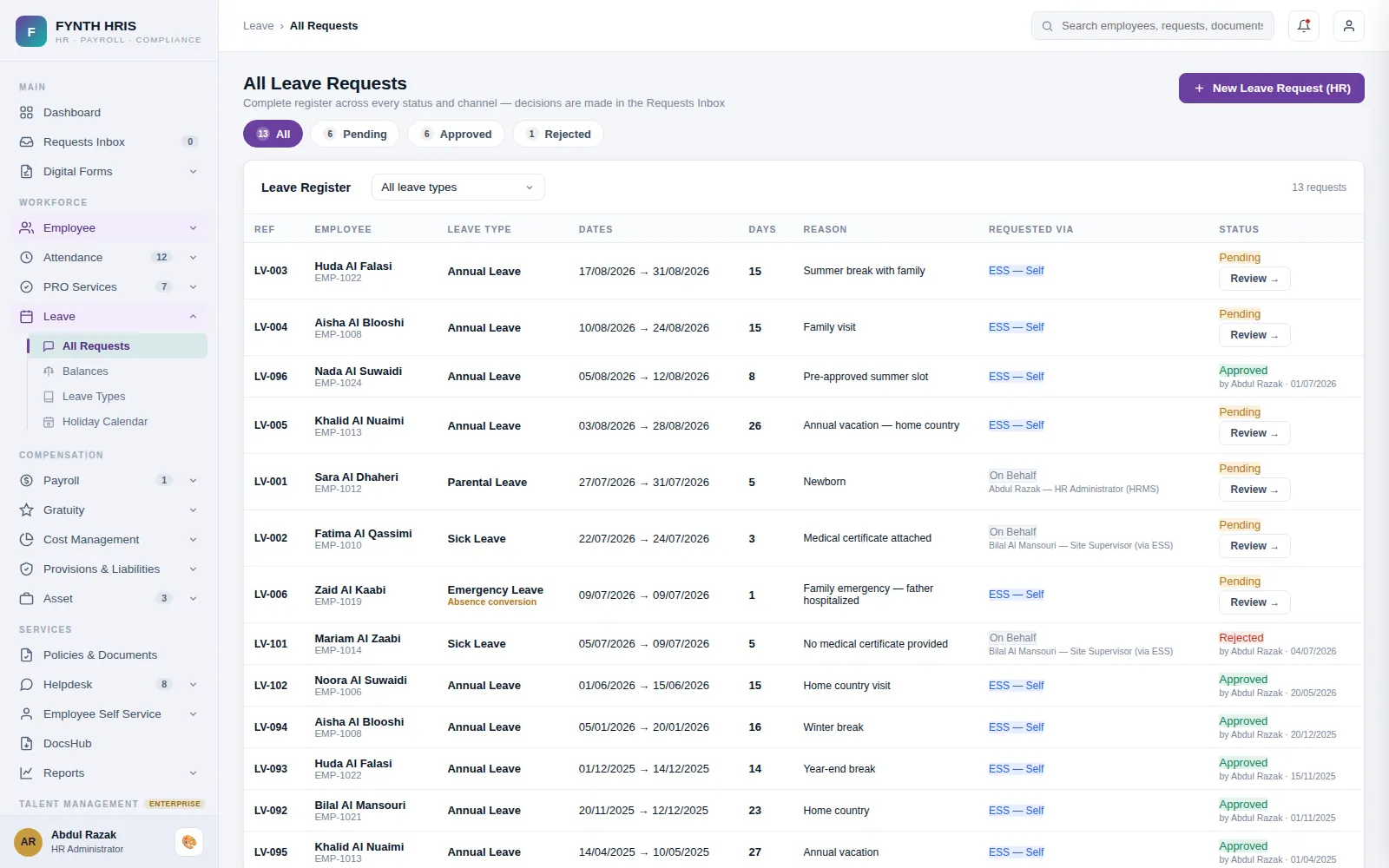
Live screen from FYNTH HRIS · sample data
From Setup to Everyday Use
Configure it once, then the module runs with the rest of the system rather than beside it.
Leave types and allocation rules resolve per employee, designation, grade or company.
Requests from ESS or HR land in one approvals inbox with the balance shown at the point of decision.
Approved annual leave triggers airfare allowance automatically and flows into payroll and the gratuity calculation.
Modules That Work with This One
Every module writes to one employee record, so nothing is re-keyed between them.
See Leave Management with Your Own Data
A specialist will walk you through the module using your company structure, headcount and policies.