Employee Self-Service
Employees handle everyday requests themselves, anywhere.
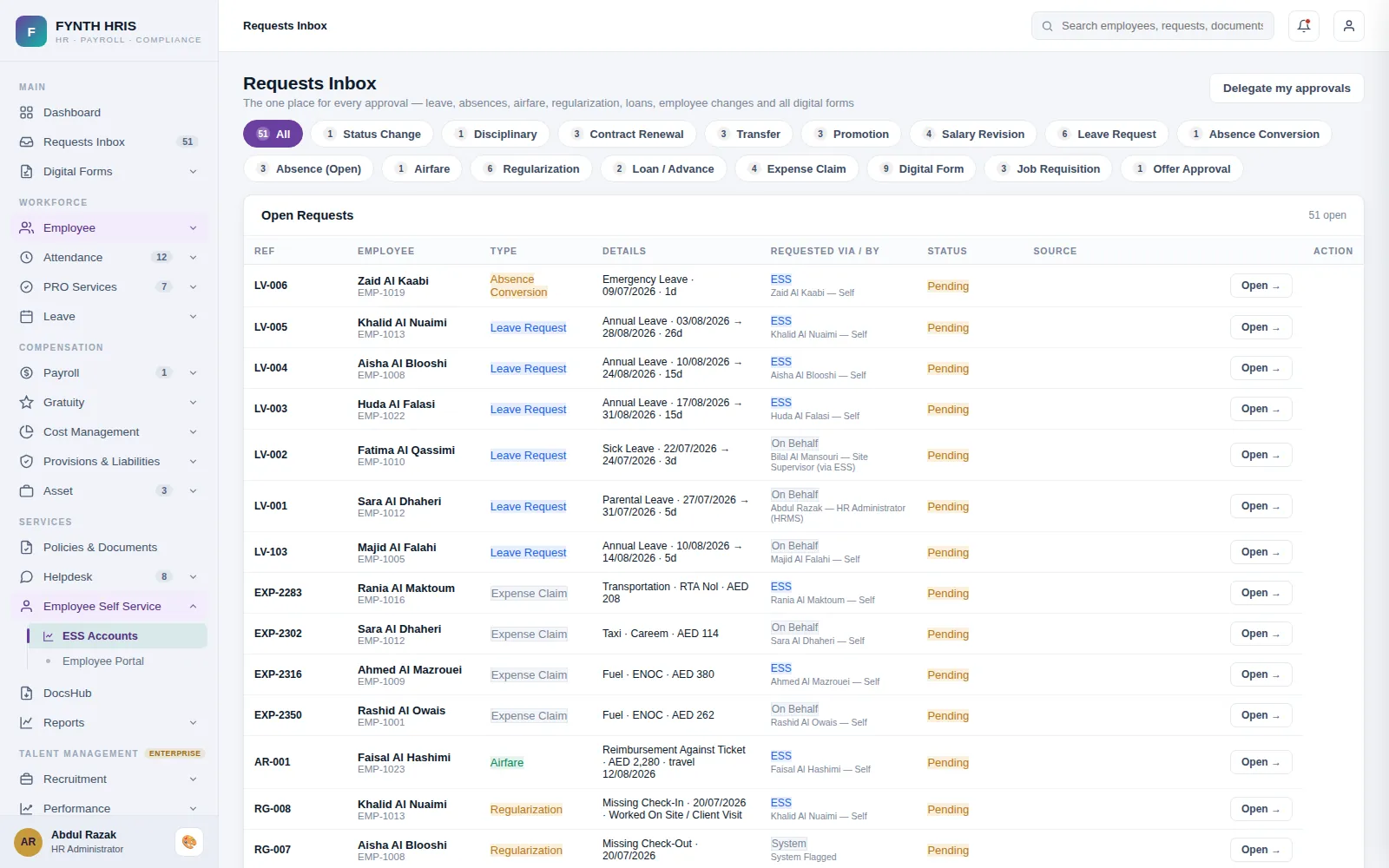
Live screen from FYNTH HRIS · sample data
Employee Self-Service Sub-Modules
Everything this module does, on the same employee record the rest of FYNTH HRIS reads from.
Raise leave, vacation, leave encashment, expense claim, salary certificate, payslip, loan and advance requests, and track every approval.
Alerts on document expiry, request approvals and policy updates. Policies can be published to the portal for viewing and acknowledgement.
Download payslips, loan and advance reports and timesheets, and upload documents and information for HR.
Request new assets, view assets assigned to you and track the status of each request.
Real-time notifications and permitted documents in the cloud, wherever employees are.
The Screens Your HR Team Will Use
Each one is a working part of the module, not a settings page bolted on afterwards.
-
Employee Self ServiceEmployee portal preview - viewing as the selected employee
-
ESS AccountsEmployee Self Service portal access - create accounts, set permissions, activation lifecycle
-
ESS MasterPortal settings, password policy, notification rules and every system email template
-
Requests InboxThe one place for every approval - leave, absences, airfare, regularization, loans, employee changes and all digital forms
-
Expense ClaimsReimbursement register - claims from the ESS portal and HR, approved here; approved claims become Employee Cost automatically
-
DocsHubRequest documents from any individual - internal department files or personal documents via ESS - uploads locked to the assigned person
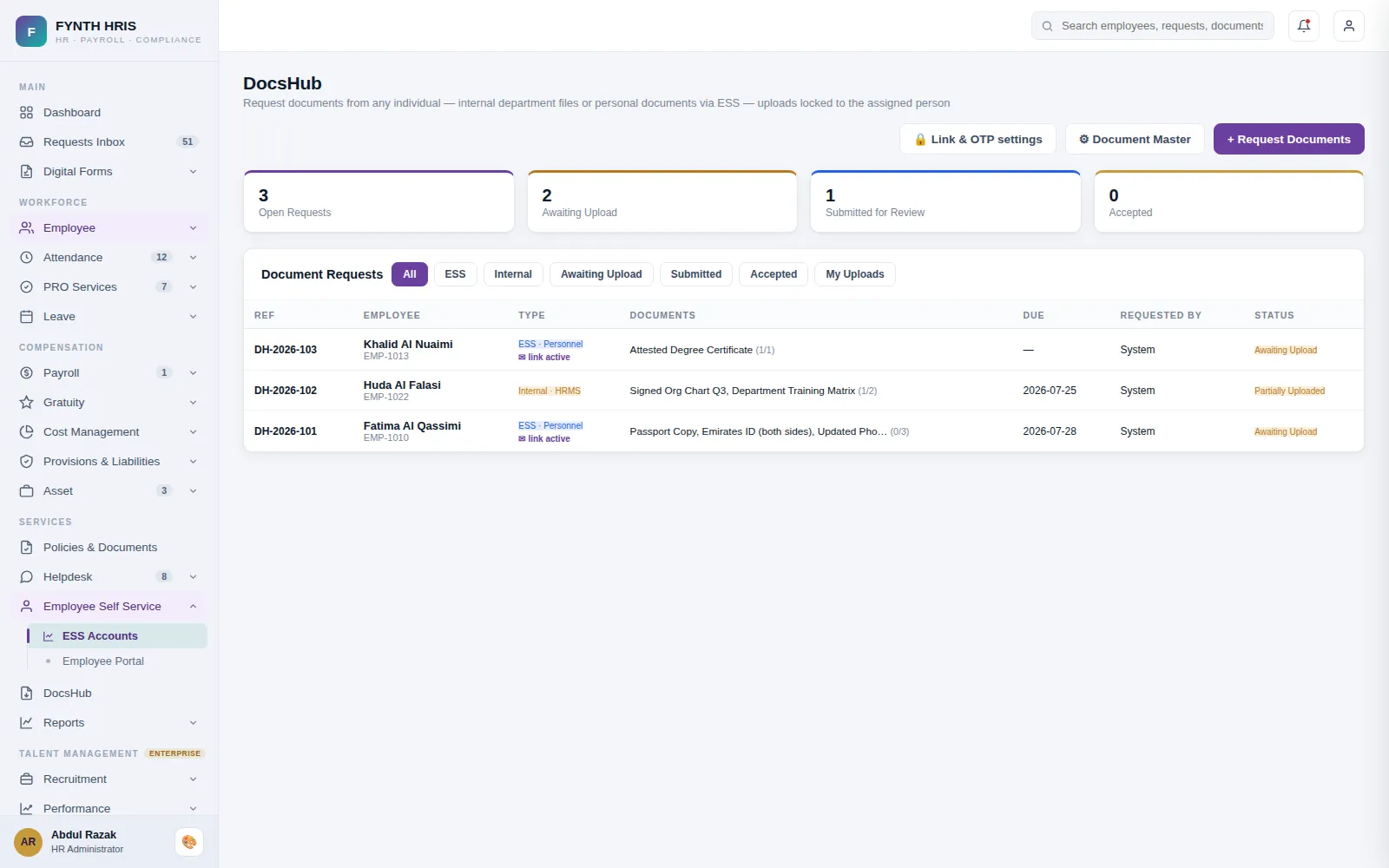
Live screen from FYNTH HRIS · sample data
From Setup to Everyday Use
Configure it once, then the module runs with the rest of the system rather than beside it.
Create portal accounts with their own permissions and activation lifecycle, per employee.
Payslips, leave, airfare, expense claims, letters and documents, on web and mobile.
Every request from the portal lands in the Requests Inbox alongside digital forms and loans.
Modules That Work with This One
Every module writes to one employee record, so nothing is re-keyed between them.
See Employee Self-Service with Your Own Data
A specialist will walk you through the module using your company structure, headcount and policies.